 TapTales
How to record yourself reading a story for your child
Small children would happily hear the same story in your voice a hundred times. With TapTales, you read a story once and it becomes a picture book: each page a big tile, with you on it. Your child taps the lit tile, hears you read that page, and taps the next. No reading needed, and nobody needs to hold the phone for them.
Way 1: read the whole story aloud
Best when you know the story, or you're making it up as you go.
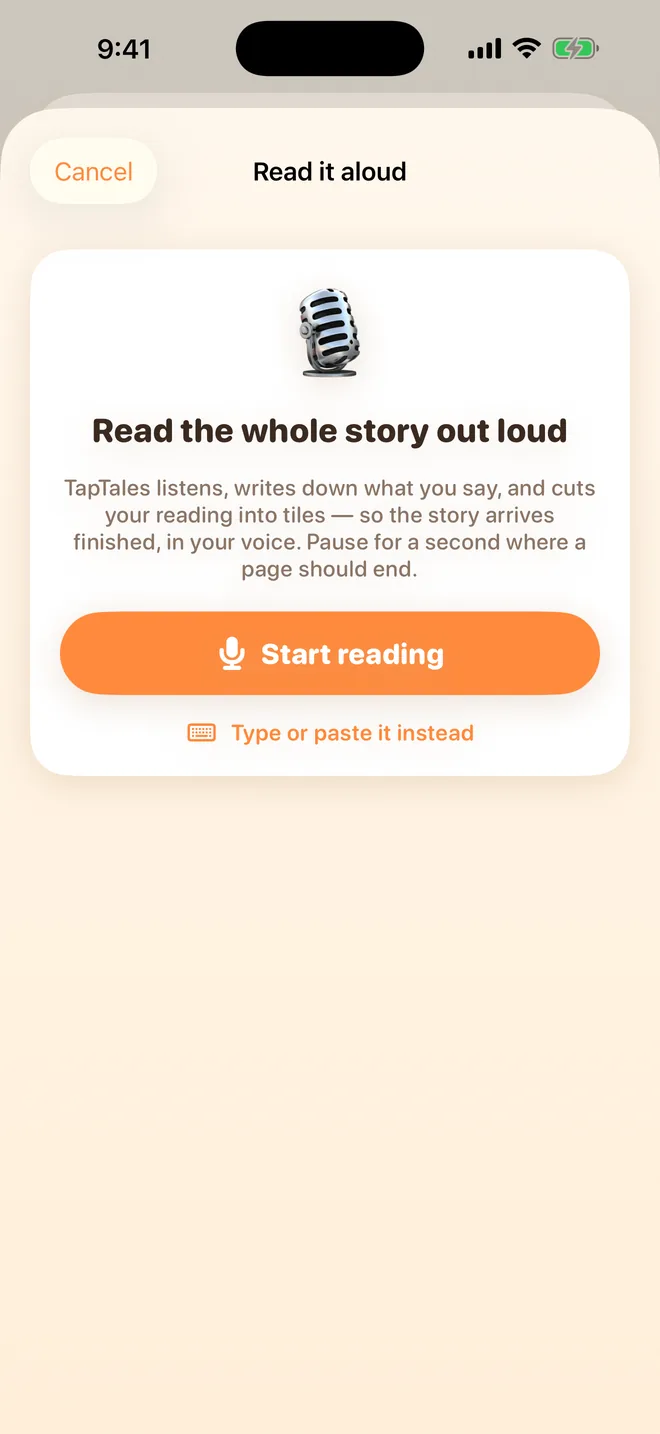
- Tap + on the shelf and choose All at once. Read it aloud opens.
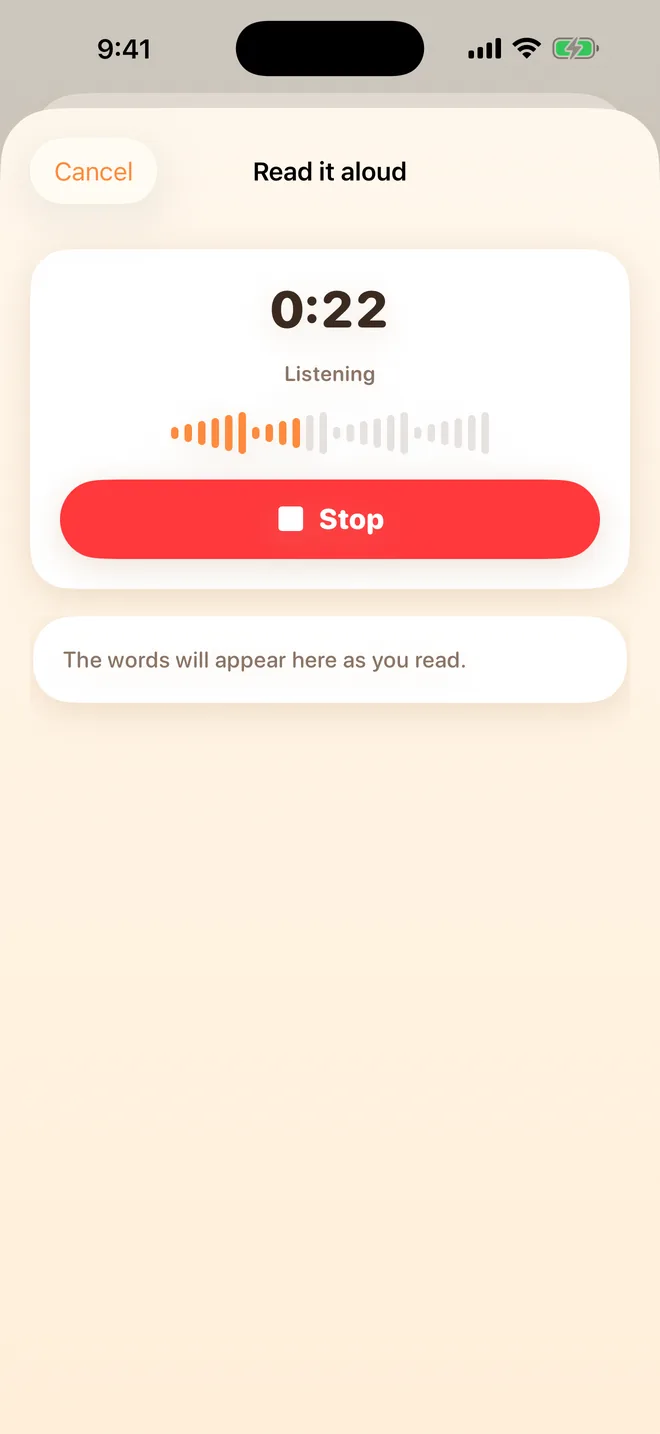
- Tap Start reading and read the whole story. Pause for about a second where a page should end. TapTales listens for those pauses.
- Tap Stop. TapTales writes down what you said and finds where the pages end.
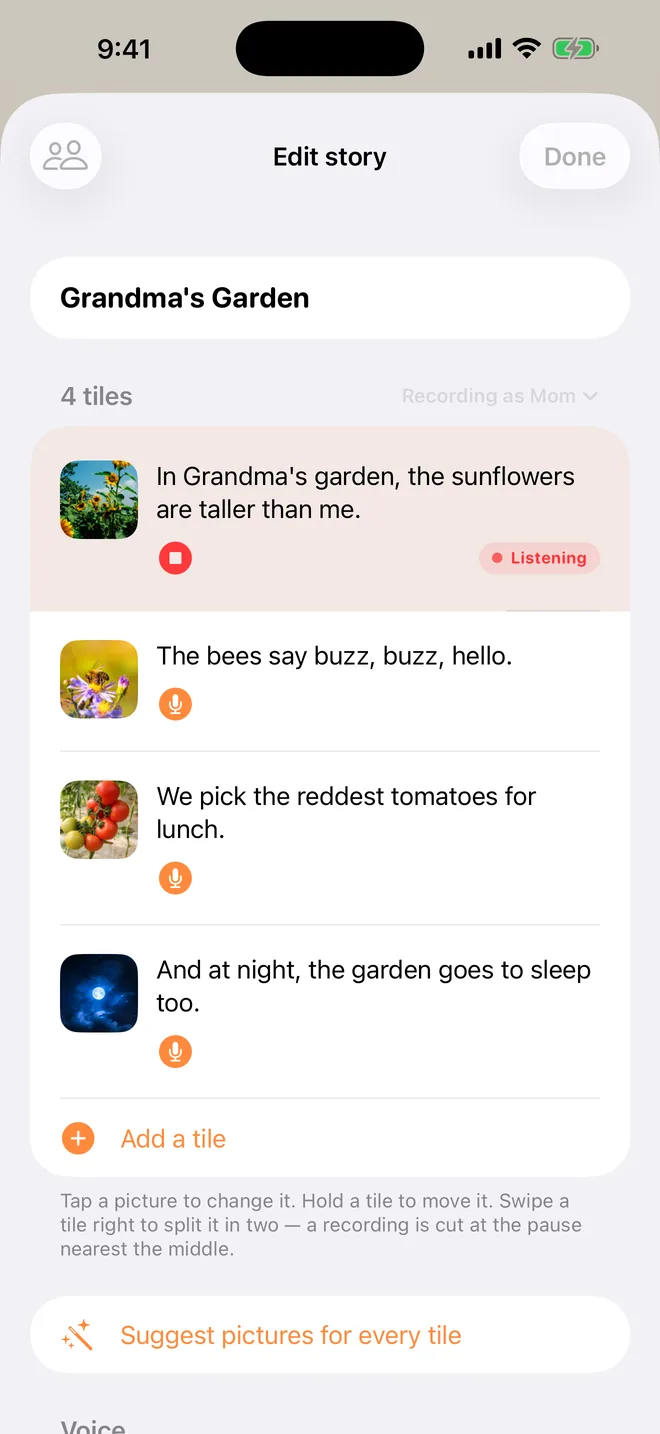
- Check the tiles. Play one to hear it. If a sentence landed on the wrong page, the arrows between tiles move it across, and the audio follows.
- Give it a title and tap Create.
Way 2: tile by tile
Best when you want to take it slowly, or you already have the words.
- Tap +, choose Tile by tile, set the number of tiles, and tap Start.
- Tap the microphone on a tile and read that page, then tap stop. The words fill themselves in.
- Do the next one. If you tap another tile's microphone while recording, TapTales saves the one you're on and starts that one.
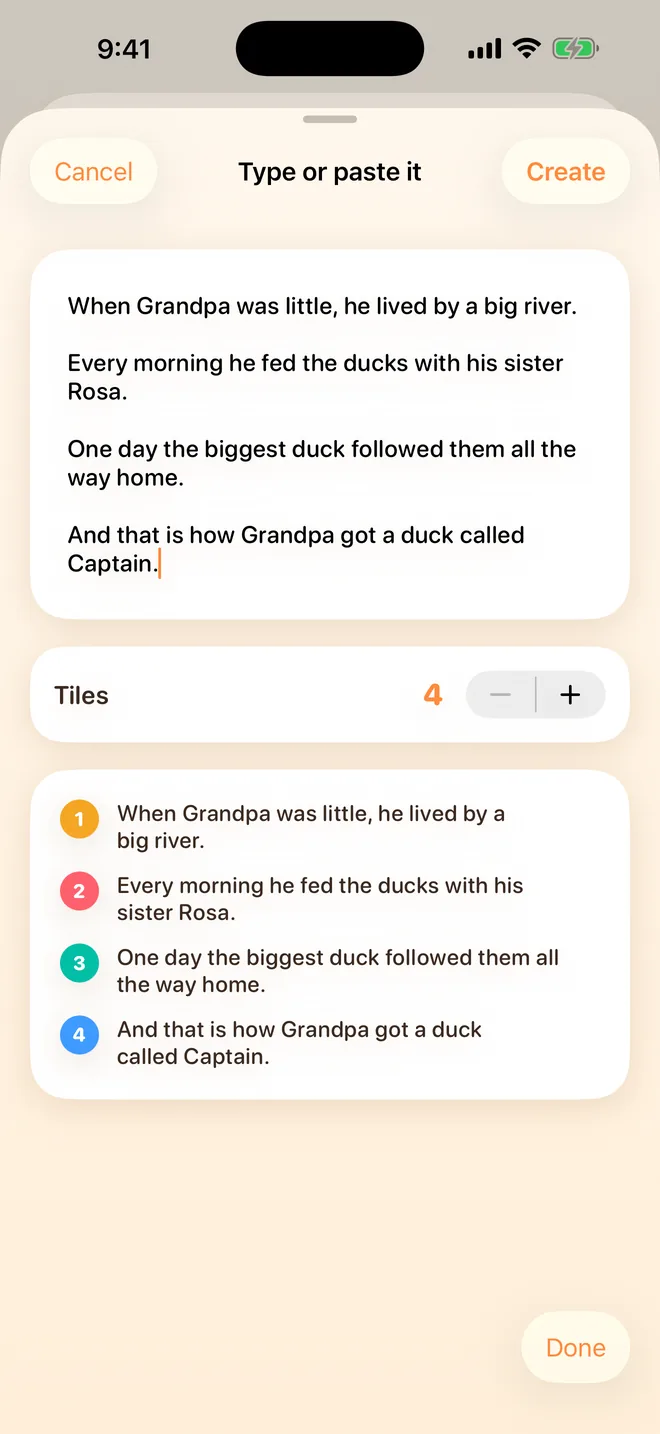
Already have the story typed out? In All at once, choose Type or paste it instead to get the tiles made from your text, then record each tile.

Tips for a good recording
- Somewhere quiet, with the phone a little closer than you'd hold it for a call.
- Read to them, not to the phone. Picture them on your lap. Slow down more than feels natural.
- Do the voices. It's the part they'll remember.
- Short pages. One or two sentences a tile keeps a toddler tapping.
- Re-record any page by tapping its microphone again. The new take replaces the old one.
- Too fast for them? The reading speed in Settings slows your recordings down too.
What to record
The stories that only you can tell work best (see making a recordable storybook): one you make up about them, a family story, a memory book of photos, or a story for something coming up, like a new baby or the first day of preschool. If you record a published book for your own child, keep it in the family. Its words belong to its author.
Questions
How many stories can I record for free? Three, in your own voice. TapTales Plus ($9.99 a month, first week free) takes the limit off for everyone in your family. Making stories, and having them read by the iPhone voice, stays free. See pricing.
Can someone else record the same story? Yes. Add them in Settings → Family sharing and they record it on their own phone. Your child picks whose voice reads it. See reading from far away.
It said no words were heard. Try somewhere quieter with the phone a little closer. TapTales needs to hear the words to write them down.
Can I keep it outside the app? With TapTales Plus, press and hold the story on the shelf and choose Save as a video or book. You get a video in your voice, or a picture book PDF to print.