 TapTales
How to read a bedtime story to your grandchild from far away
You don't need to be there at bedtime to read the bedtime story. With TapTales, a grandparent records a story on their own iPhone or iPad, and it shows up on the child's shelf in their voice. The child taps through it page by page, as often as they like. The parent sets it up once. After that, the grandparent can record whenever they have ten quiet minutes.
What you'll need
- TapTales on the child's iPhone or iPad, and on the grandparent's.
- Both signed in to iCloud, each with their own Apple Account.
- A story to read. Make one first, or use one you've already made. The twelve classics are read by a storyteller and can't be recorded over.
1. Invite them (parent's phone)
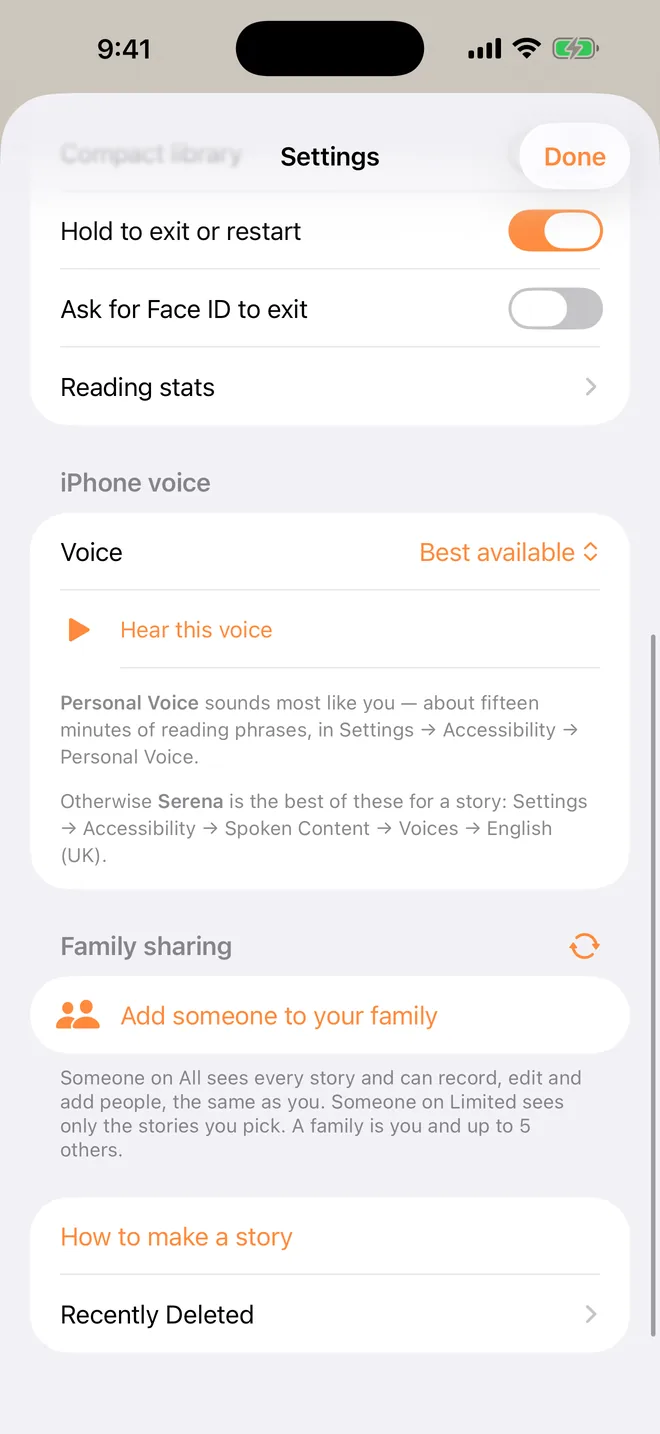
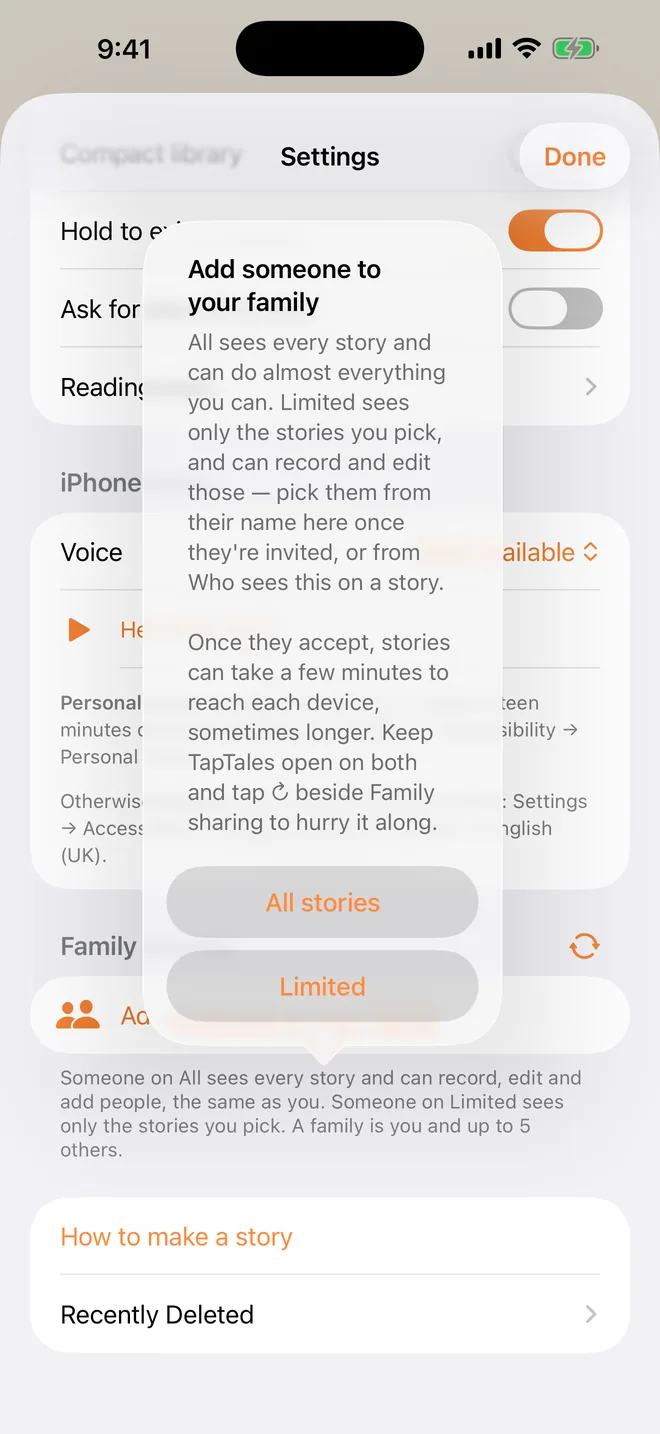
Open Settings (the gear on the shelf) and find Family sharing. Tap Add someone and choose how much they see:
- All stories: they see every family story, and can record, edit and make new ones. This is right for most grandparents.
- Limited: they see only the stories you pick for them. Pick them from their name in Family sharing, or from Who sees this on a story.
iOS then asks how to send the invitation. Messages or email both work.
2. Accept it (grandparent's phone)
Install TapTales, then open the invitation. The family's stories appear on the shelf under Shared with me. If a story isn't there yet, pull down on the shelf to check again. It can take a few minutes the first time.
Want a particular story? On your phone, press and hold it on the shelf and choose Ask someone to read this, then tap the grandparent's name. It waits at the top of their shelf with a Record button, and they get a notification if they allow them. Someone on Limited gets the story along with the ask.
3. Record the story (grandparent's phone)
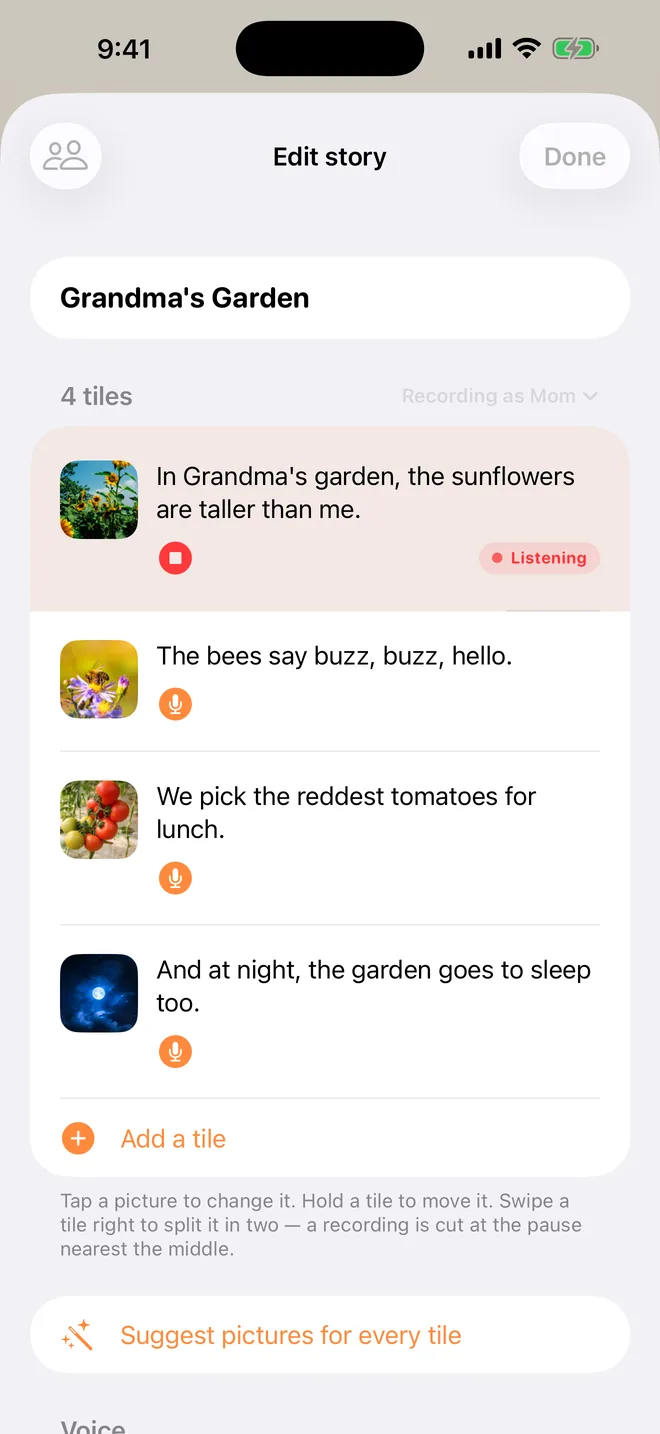
Open the story with the edit button (the three sliders beside Read), then tap the microphone on the first tile and read that page. The first time, TapTales asks what to call you, so pick what the child calls you: Grandma, Nana, Grandpa. Tap stop, then do the next tile. The words are already there, so just read them.
- Read it like they're on your lap. Slow down, do the voices, and say their name.
- Somewhere quiet, with the phone a little closer than you'd hold it for a call.
- Add your own line at the end if you like: "Night night, sweetheart. Grandma loves you." Put it in the last tile's words and read it.
4. Pick Grandma's voice (child's phone)
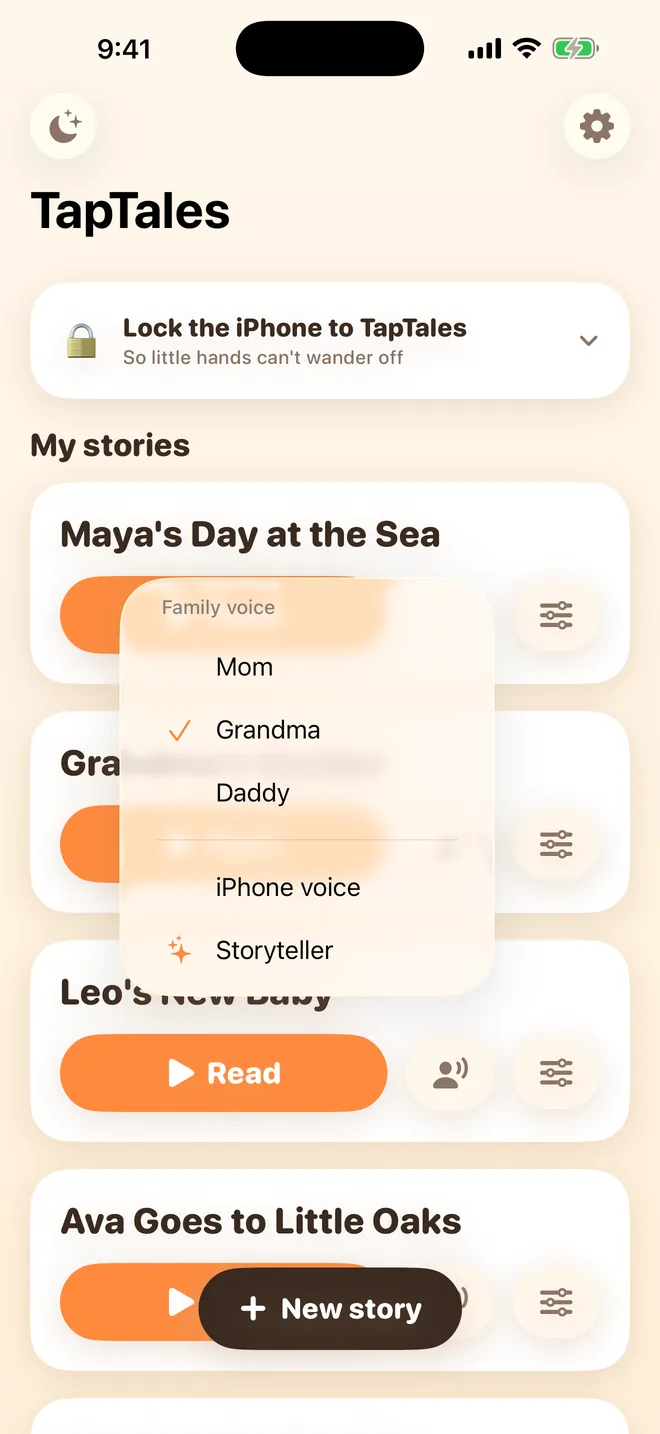
Recordings travel through iCloud and can take a few minutes to arrive. Pull down on the shelf to check. Then tap the voice button beside Read on that story and choose the grandparent's name. From then on, that story reads in their voice on that phone. You can switch back to your own voice, or anyone else's, at any time.
Ideas
- Their favourite story, the one they already ask you for every night.
- A story about the grandparent: their house, their dog, the garden, what they did when they were little.
- Their last visit, as a memory book of photos, told by the grandparent.
- A countdown to the next visit: one tile per sleep.
- One in another language: the grandparent's own, so the child hears it. See stories in your family's language.
Questions
Does the grandparent need to pay? No. They don't need their own subscription. Someone on All records as part of your family, and if you have Plus or Pro, it covers them on their own phone too. For someone on Limited, each story you pick for them counts toward your three free recorded stories, unless you have Plus or Pro.
Does it work on Android? No. TapTales is for iPhone and iPad, and sharing goes through iCloud, so everyone needs an Apple device.
How many people can I add? You and up to five others, so both sets of grandparents, and then some.
Where do the recordings go? Into iCloud, with the story they belong to. We never receive them. See the privacy policy.