 TapTales
Bedtime stories in your family's language, read by family
A child learns a language from the people who speak it to them. If that's a grandparent far away, or a parent who's out at bedtime, the language can get squeezed out by everything else. TapTales lets the people who speak it read your child stories in it: recorded once, played every night, in their own voice. You can also turn a favourite story into a copy in another language, or have a storyteller read it in that language.
1. Get the words in the language
There are three ways, depending on who writes best:
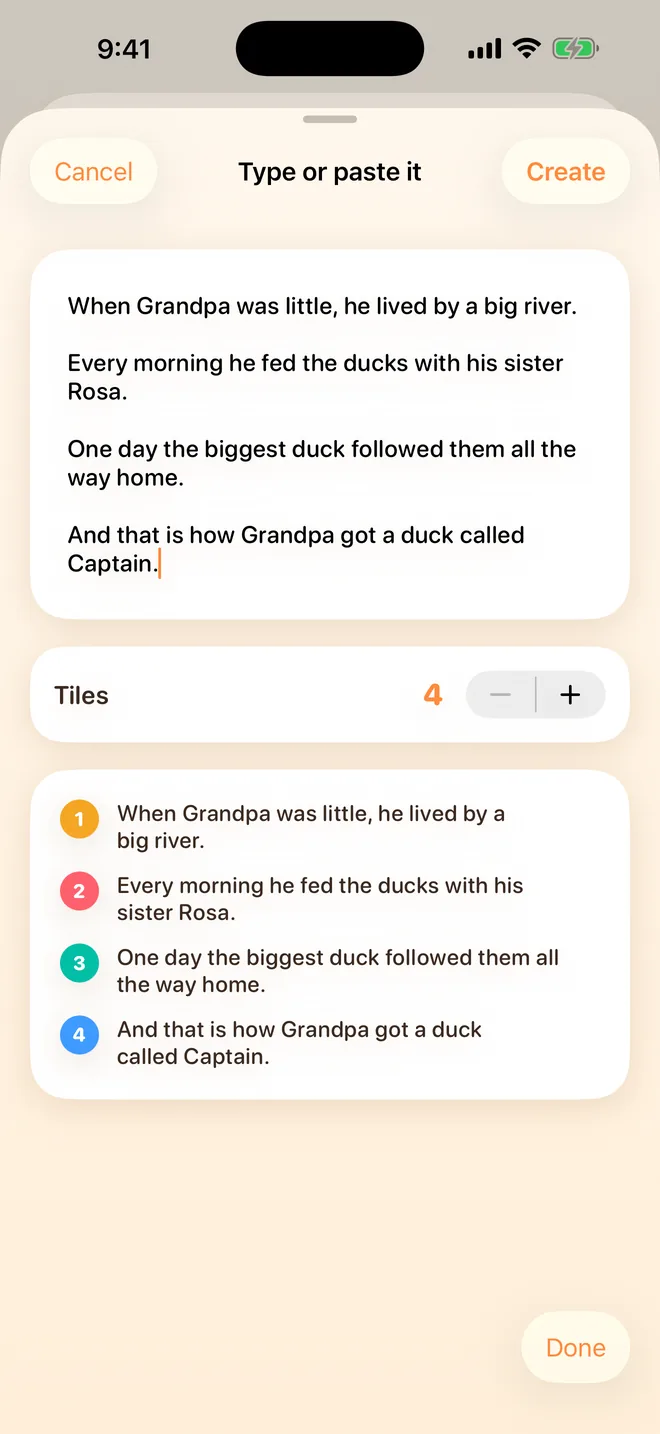
- Type or paste it. Tap + on the shelf, choose All at once, then Type or paste it instead. Paste a story a grandparent sent you, in any language, and TapTales cuts it into tiles.
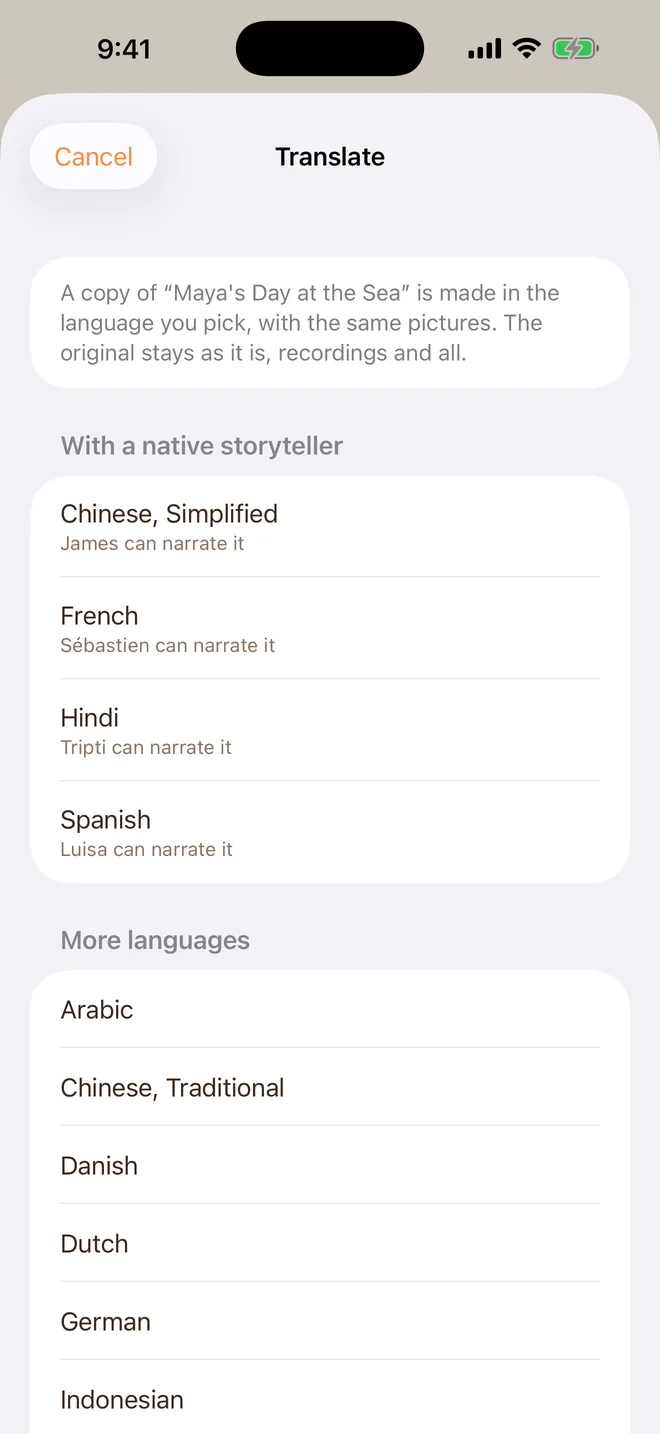
- Translate one you have (TapTales Plus). On the shelf, press and hold a story, even one of the twelve classics, and choose Translate. Pick the language, and TapTales makes a copy in it, with the same pictures. The original stays as it is. The translation is done on your iPhone by Apple, so the languages on offer are the ones your iPhone can translate into, and it may ask to download one first.
- Say it. Tile by tile, or reading the whole story aloud, fills in the words from what's said. It writes them in the language the phone is set to, so this is best done on the grandparent's own phone.
A machine translation of a children's story is a good start, not a finished one. Ask someone who speaks the language to read it through and fix what sounds wrong: tap any tile's words to change them.
2. Have the right person read it
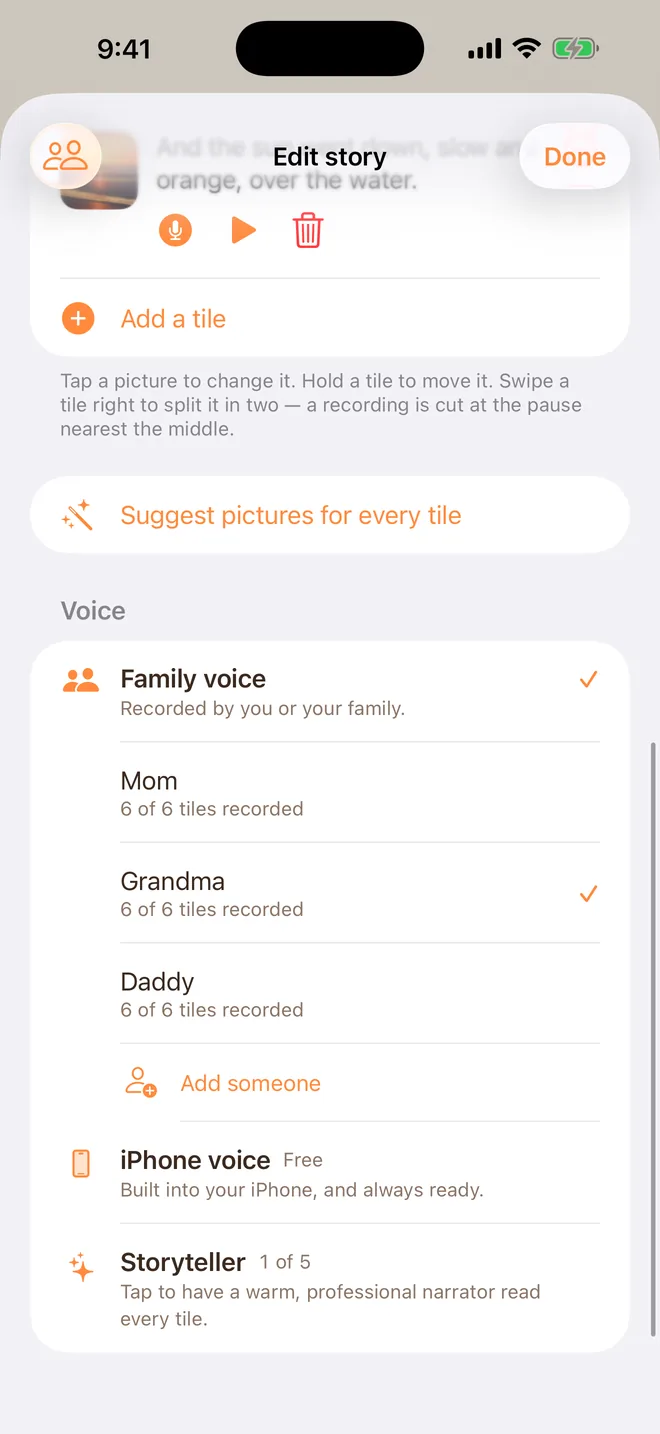
Add the grandparent (or aunt, or parent) to your family in Settings → Family sharing, and the story appears on their phone. They open it, tap each tile's microphone, and read the page. The words already on a tile stay as they are, so they just read. The first time, TapTales asks what to call them, so it can say “Dadi” or “Abuela” rather than “My voice”. The full steps are here.
3. Or a storyteller
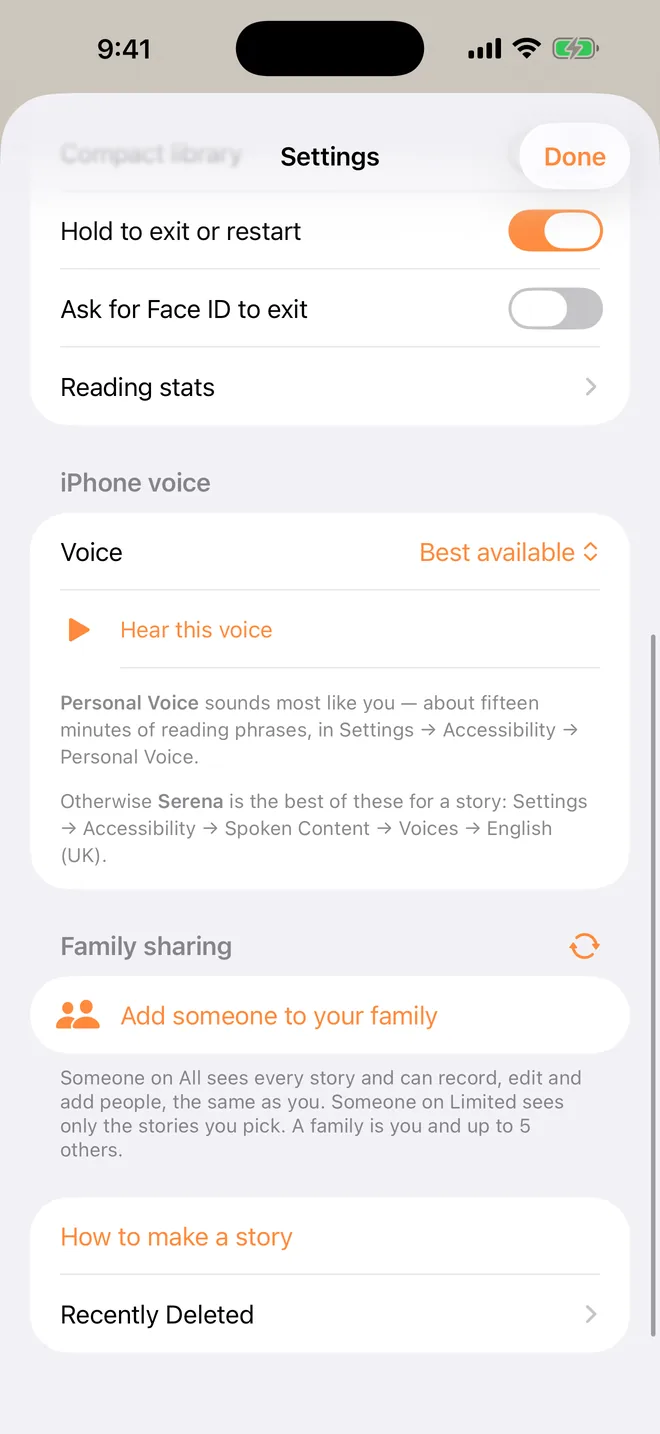
With TapTales Pro, a story can be narrated by one of the app's storytellers, who reads it in whatever language it's written in. They are English voices, so a Spanish or Hindi story is read clearly but not with a native speaker's accent; a grandparent's recording is still the real thing. In the story's editor, choose Storyteller under Voice. Pro narrates five stories a month.
4. Pick the voice at bedtime
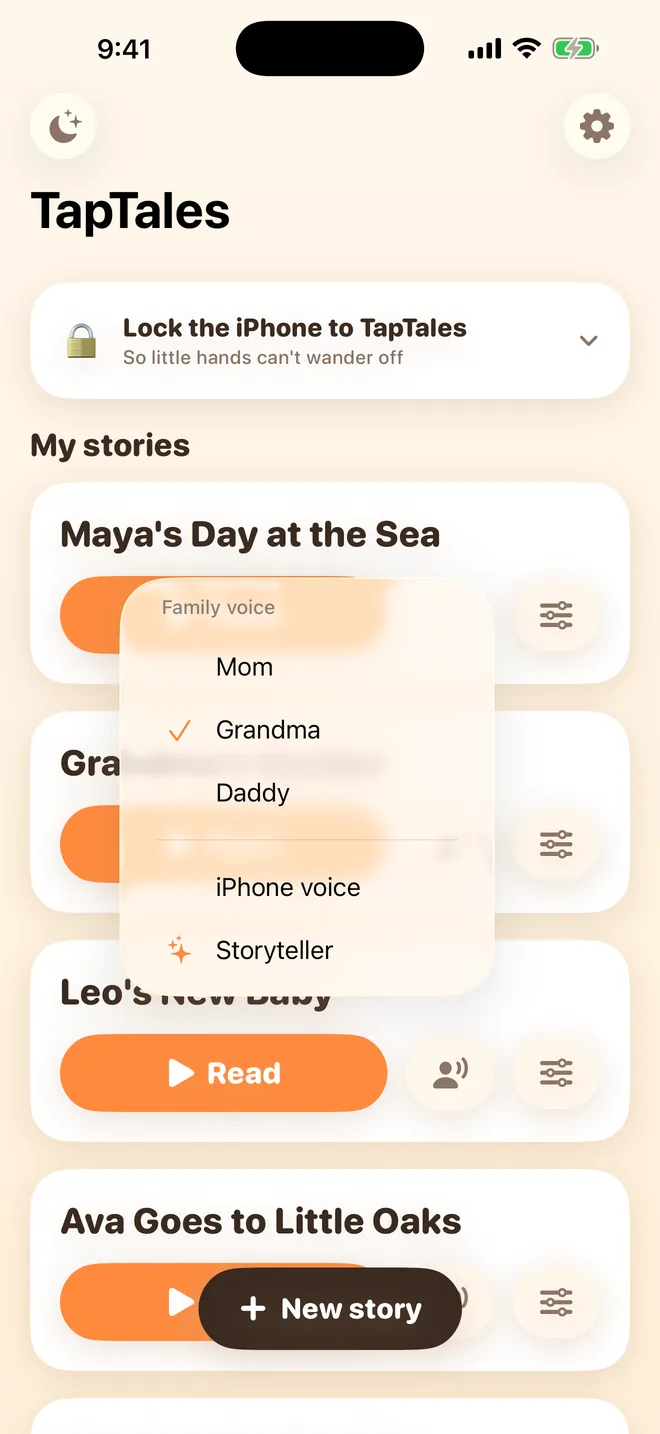
On the shelf, tap the voice button beside Read and choose who reads it tonight. Keep both copies of a favourite side by side, in English and in the family's language, and let your child choose.
Ideas
- The stories the grandparents grew up with, typed in by them, read by them.
- The same story twice: Mum reads it in English, Nani reads the translated copy in Hindi.
- A memory book of a trip to the family's home country, told by the relatives in it.
- Everyday words: a tile per thing in the house, photo and word, said by Grandpa.
- Songs and rhymes from the family's childhood, a verse per tile.
Questions
Which languages work? For recording, any language: it's a voice, so TapTales doesn't mind. Typing and pasting work in any language your iPhone can show. Translate offers the languages Apple's translation supports on your iPhone. The storytellers read any language, with an English speaker's accent.
Does the grandparent need to pay? No. Someone in your family records as part of it. If you have Plus or Pro, it covers them too. See the grandparents guide.
Does the translated copy keep our recordings? No. Recordings read the old words, so the copy starts with none. It keeps the pictures, photos and colours.
What does it cost? Recording three stories in your own voice, and pasting stories, are free. Translate and unlimited recording are part of TapTales Plus ($9.99 a month after a free week). The storytellers are TapTales Pro ($12.99 a month). See pricing.