 TapTales
A bedtime routine with stories in your voice
Small children do better with a bedtime that goes the same way every night. TapTales helps in two ways. First, make a short story of your routine, from your own photos and in your voice, so they know what comes next. Then end the night with stories in the voice they want to hear, on a dimmed screen with rain or waves underneath, that stop by themselves.
1. Make a story of your routine
One tile per step, in your order, with a photo of each (TapTales Plus). For example:
- “After dinner, it's bath time.” The bath, with the duck.
- “Pyjamas on. Which ones tonight?” Their pyjama drawer.
- “Brush, brush, brush your teeth.” Their toothbrush.
- “Two stories in bed.” The bookshelf, or the phone on the pillow.
- “A big hug, and the light goes off.” The night light.
- “Everyone in the house is going to sleep too. Night night.” The dog in its bed.
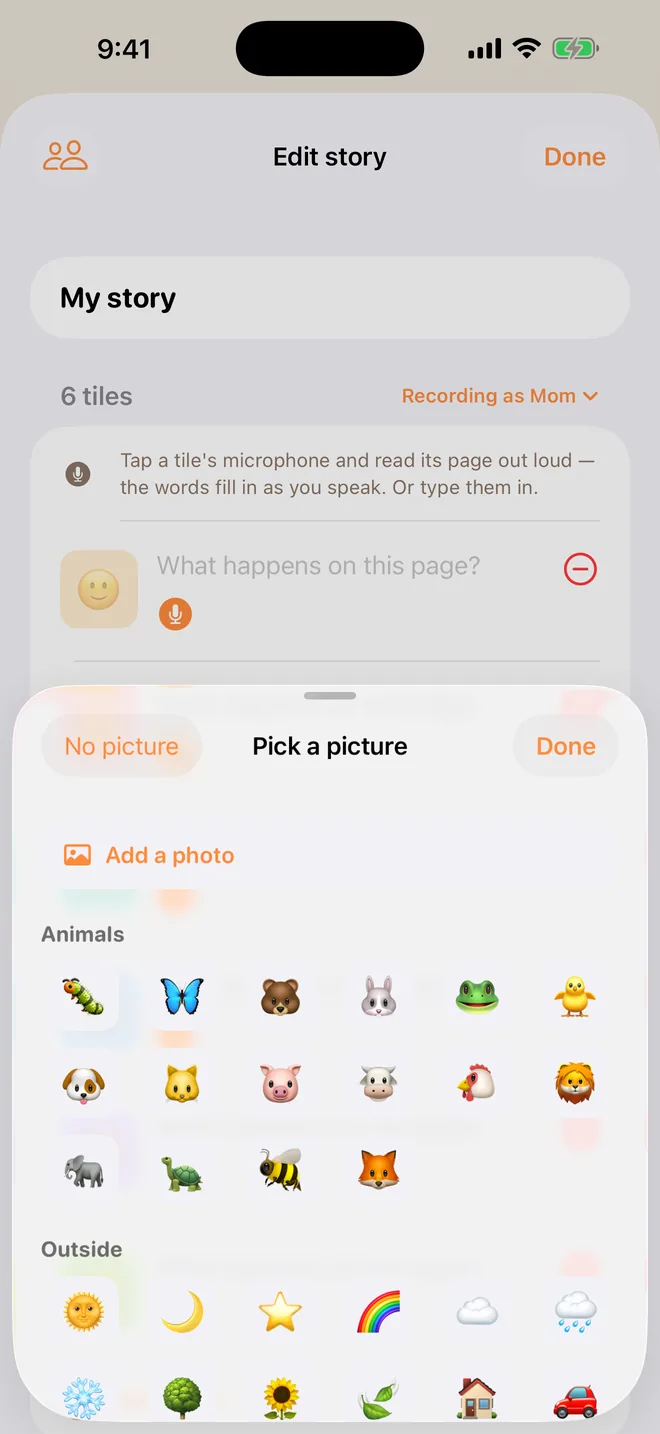
Tap + on the shelf, choose Tile by tile, set the tiles to your steps, and tap Start. Tap each tile's picture, then Add a photo. Then tap each tile's microphone and say that step. The words fill themselves in as you speak.
Read it together at the start of the routine. After a few nights they'll be telling you what comes next.
2. Pick tonight's stories
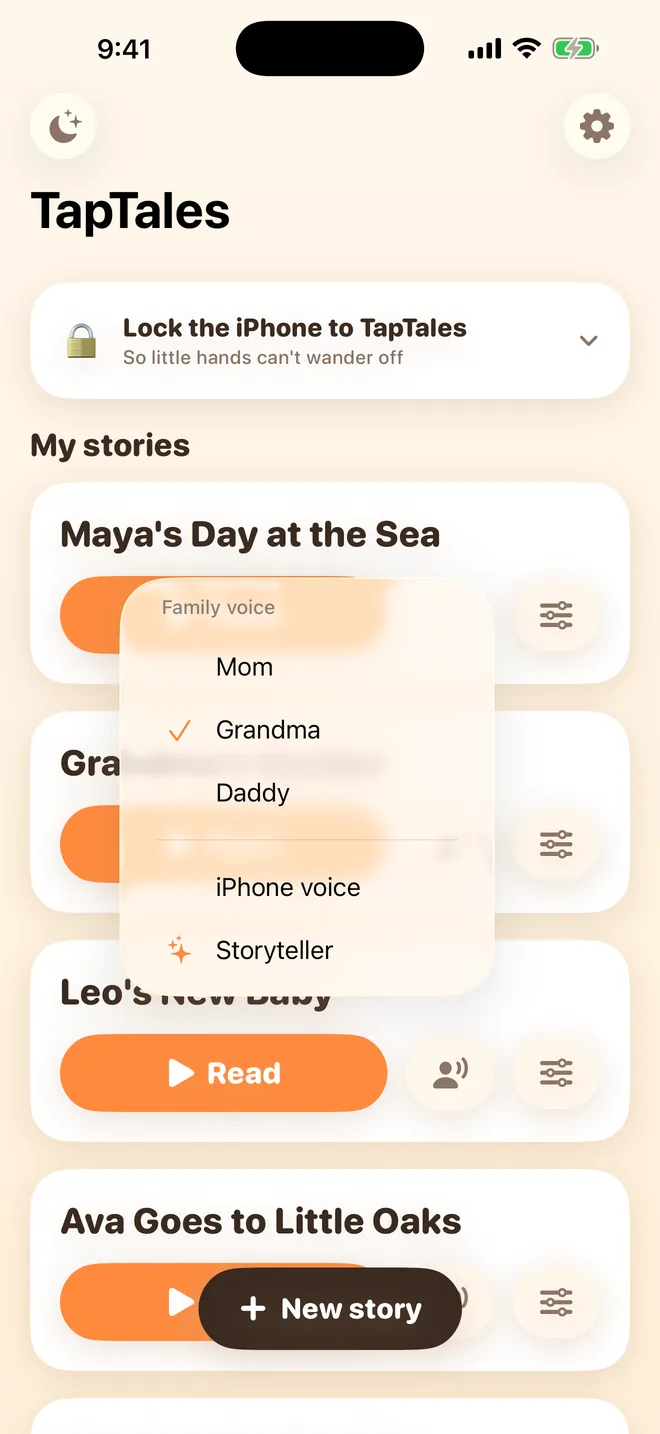
Any story on the shelf works: the ones you've recorded, the ones the family has shared, and the twelve classics, which a storyteller already reads. Tap the voice button beside Read to choose who reads each one. Here's how to record your own.
3. Start Bedtime mode
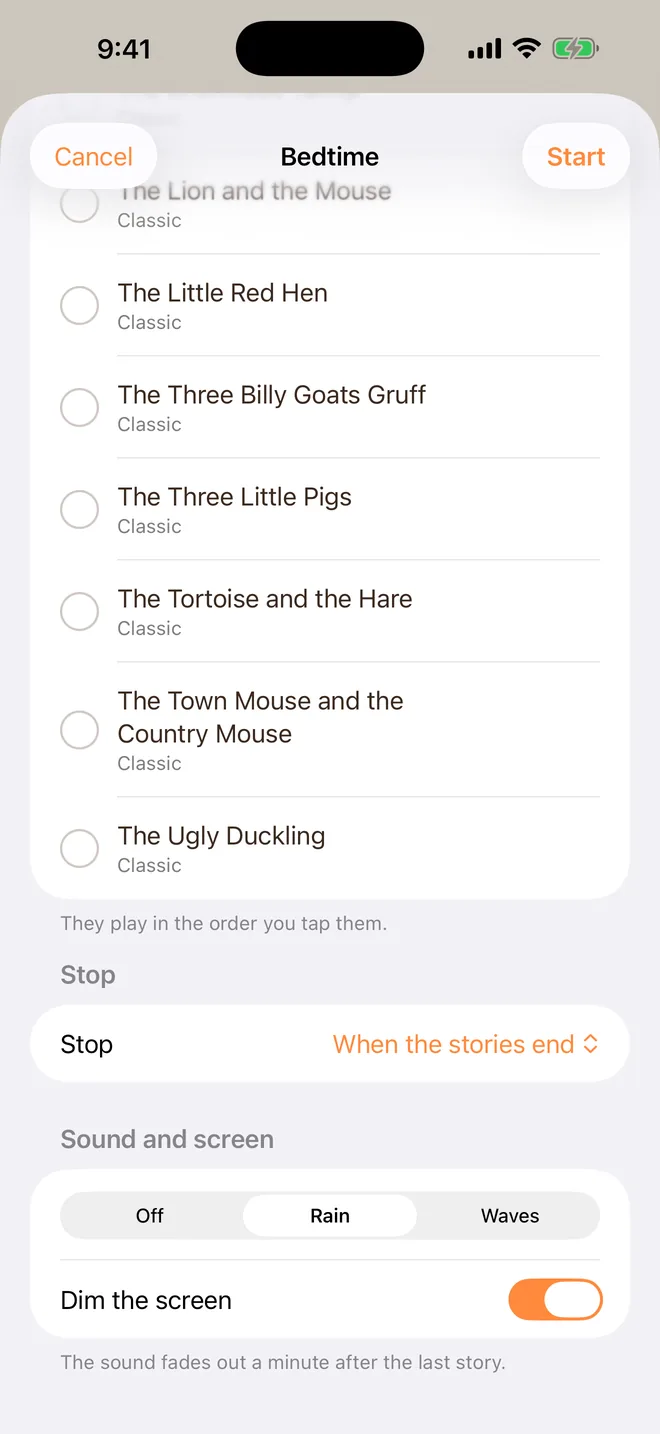
With TapTales Plus, a moon appears at the top left of the shelf. Tap it, and:
- Stories: tap them in the order they should play. A number shows the order.
- Stop: when the stories end, or after 10, 20, 30, 45 or 60 minutes. It only stops between pages, never in the middle of a sentence.
- Sound underneath: off, rain or waves. It fades out a minute after the last story.
- Dim the screen, so the light doesn't keep them up.
Tap Start. The stories play one after another, with a short pause between them, and then everything stops on its own.
Tips
- Same order every night. The routine story first, then the same one or two. Repetition is the point.
- Keep the count small. Decide on two stories, or twenty minutes, before you start, and let the app be the one that stops.
- End on a quiet one. Put the slowest story last, and record it slower than you'd think.
- Someone away? Their recordings play in bedtime mode too. See stories while you're away.
Questions
Is a screen at bedtime a good idea? That's your call to make, and many families choose to keep the phone out of the bedroom. Bedtime mode asks very little of the screen: it can dim, it needs no taps once it starts, and it's the voice doing the work.
Does it need a connection? No. Once the stories and recordings are on the phone, they play offline.
What does it cost? The twelve classics and three stories in your own voice are free. Bedtime mode, photos and unlimited recording are part of TapTales Plus, $9.99 a month after a free week. See pricing.